
monday.com
CRM Required Fields
Making data enforcement simple for sales managers

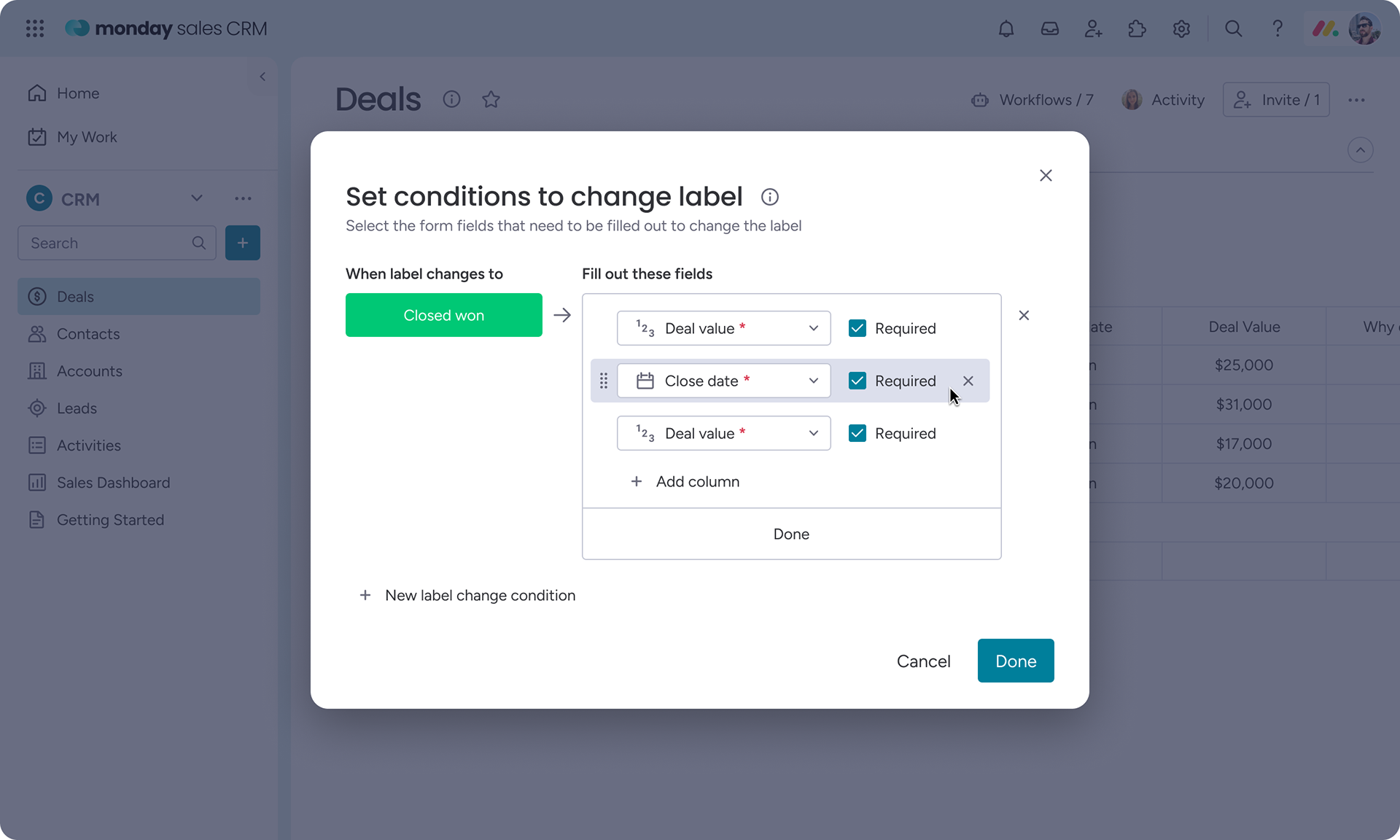
Final Change Label Conditions setup, allowing managers to control which fields appear and when they become required.

About
Sales managers rely on accurate CRM data to forecast revenue and manage their pipeline. In practice, sales reps are often focused on calls and follow‑ups, and filling out CRM fields is deprioritized or skipped entirely.
This project focused on improving the setup experience for Change Label Conditions, a CRM feature that allows managers to require specific fields before a deal can move forward in the pipeline.
My role
Product Designer
I led the design of the setup experience for Change Label Conditions, working closely with a PM and engineers. I owned the problem framing, design exploration, user testing, and iteration toward a clearer configuration model.
Outcome
  •  Clarity score in user testing improved from 3.7 → 3.9 → 4.6
  •  Users completed the setup flow significantly faster, often without pausing or asking clarifying questions
Timeline
Oct 2023

Prototype walkthrough showing how managers configure required fields across pipeline stages.
Context
The product
Change Label Conditions allows sales managers to control when deals can advance through the pipeline by requiring reps to fill in specific fields before changing a deal’s stage.​​​​​​​
The user
The primary users are sales managers configuring CRM workflows. Their goal is to collect critical information at the right time without slowing down their sales team.

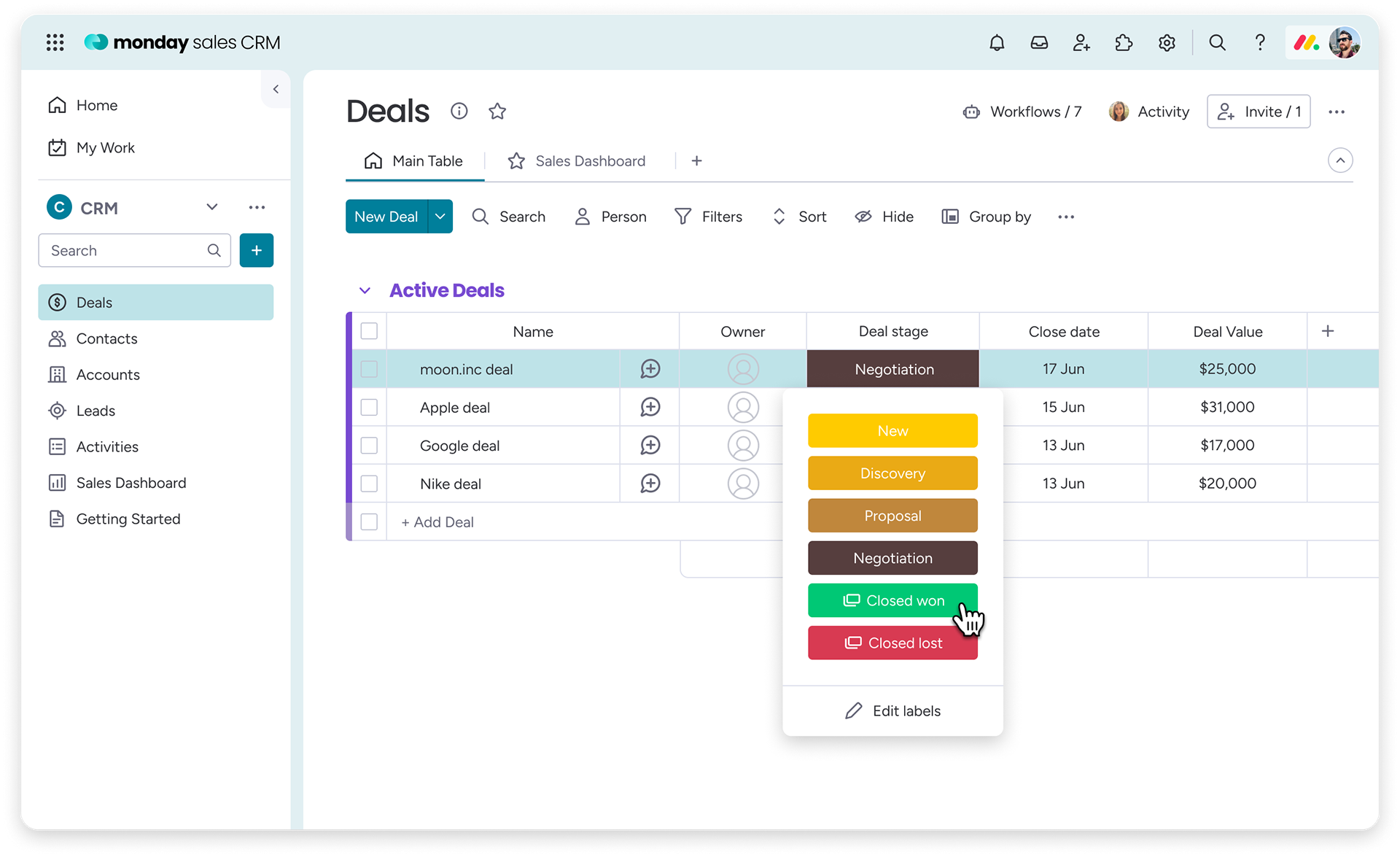
Rep-facing experience: advancing a deal to the next stage in the pipeline.
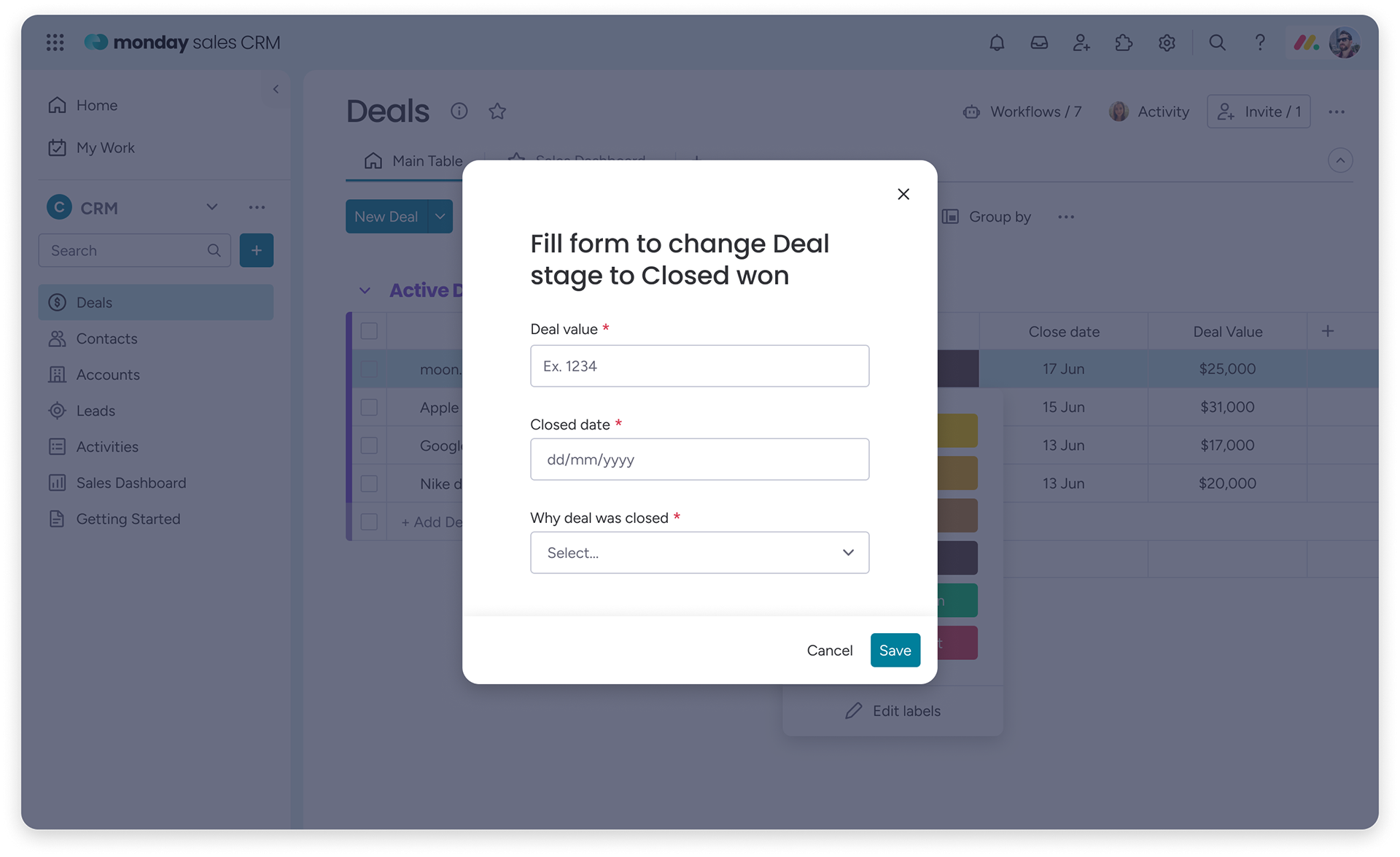
When required data is missing, a focused form appears to collect the information before the deal can advance.

Problem
What wasn’t working
While the rep-facing experience was straightforward, the setup experience for managers was confusing.
Managers needed to control two things:
  •  Which fields appear in the form
  •  Which of those fields are required at each stage
Existing designs failed to clearly communicate this distinction, leading to misconfiguration and uncertainty.
Why it mattered
If managers couldn’t confidently set up required fields, they either over-enforced rules that blocked deals or avoided using the feature altogether, undermining data quality across the CRM.

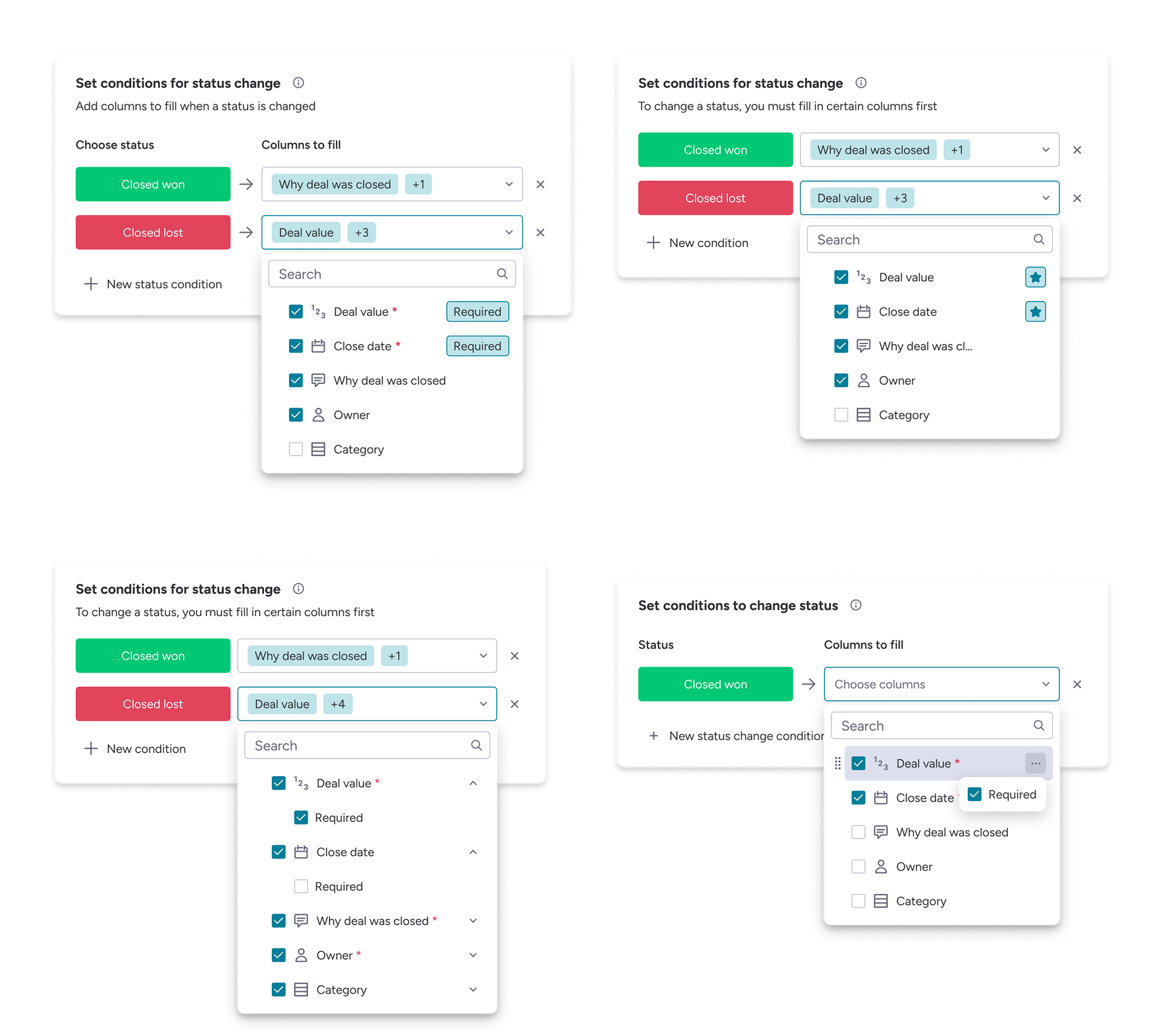
Early design explorations for marking fields as required, tested to clarify how managers understood enforcement versus visibility.

Exploration
Early attempts
I explored multiple design variations to help managers understand the difference between visible and required fields. Despite iterations, users consistently struggled to reason about requirement logic.
To compare solutions objectively, I asked the same question at the end of each test:
On a scale of 1–5, how clear was this experience?
Scores plateaued around 3.7–3.9, signaling that the core mental model still wasn’t working.
Reframing the problem
I stepped back and reviewed how competing CRMs handled similar workflows. The solution was already familiar to users and aligned with existing patterns, making the requirement logic immediately understandable.
Multiple design variants tested to clarify how managers interpreted required versus visible fields.
Solution
I redesigned the setup experience around a clearer distinction between surfacing information and enforcing it.
Managers could:
  •  Add fields to appear earlier in the pipeline
  •  Define exactly when each field becomes required
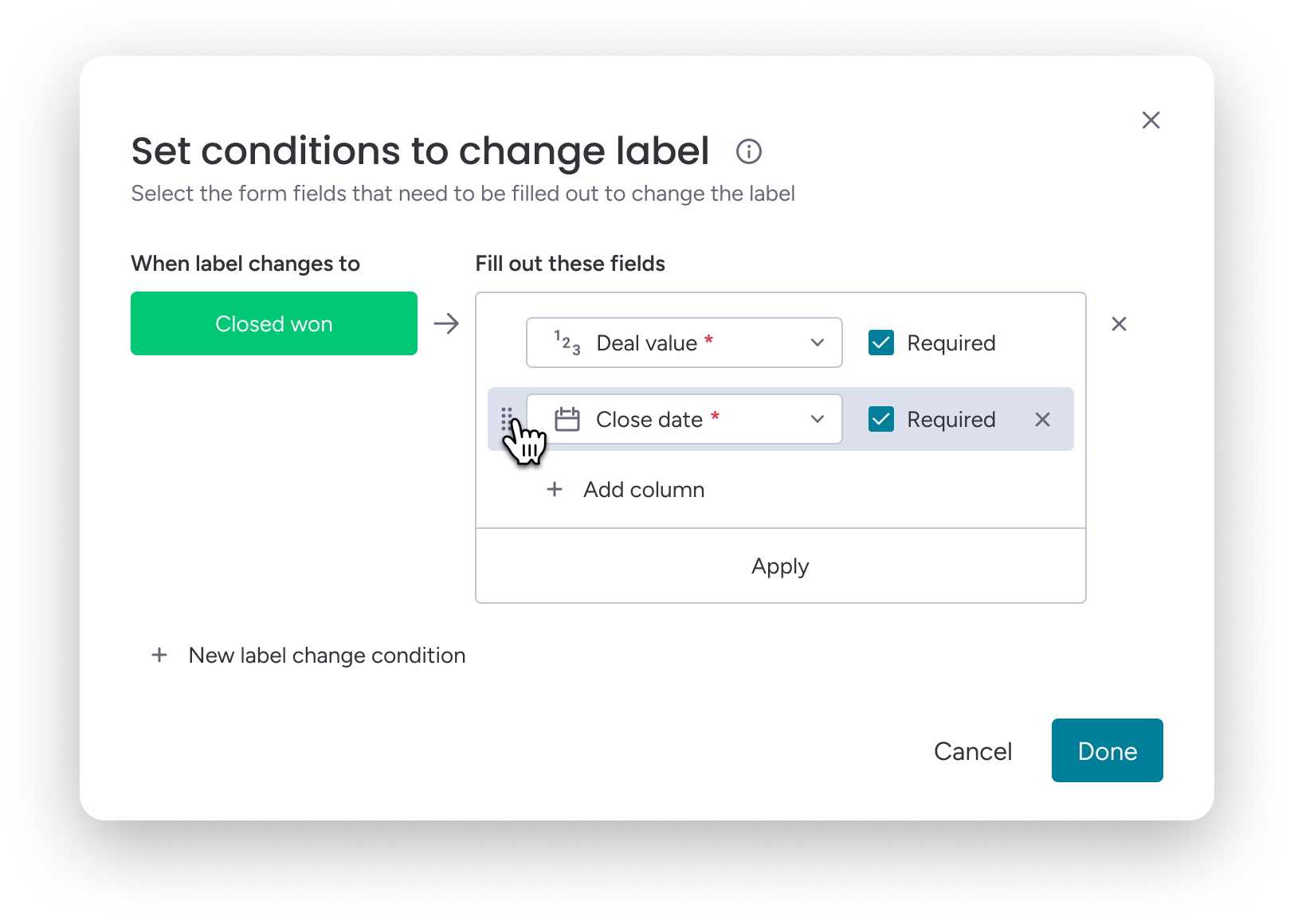
This aligned the configuration model with how managers already thought about deal progression, removing the need to reason about abstract conditions.

Redesigned setup that aligns required fields with pipeline stages, matching how managers already think about deal progression.

Validation
 •  Clarity score increased to 4.6 in user testing
 •  Users completed the setup flow quickly and with minimal hesitation
Learnings
 •  Configuration tools must mirror users’ existing mental models, not introduce new ones
 •  When iteration stalls, stepping back can be more effective than refining details
 •  ​​​​​​​Measuring clarity consistently helped guide design decisions and compare solutions objectively

Final user testing session showing clear understanding of required fields and faster setup with minimal hesitation.